Wednesday, October 02, 2013
iPads in the Classroom - Unmissable mLearning Resources
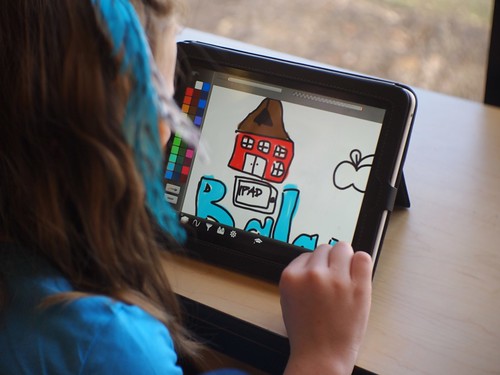
If you are starting with the use of iPads in the classroom and have no idea where to begin, there are lots of blogs and resources you can rely on to filter interesting apps and to find activities to suit your pedagogical needs.
I highly recommend some blog posts/resources for you to get started:
How to Take Control of Tablets in a Networked Classroom
http://www.tabletsforschools.co.uk/classroom-management-how-to-take-control-of-tablets-in-a-networked-classroom
Habits of an Effective iPad Teacher
http://ipad4schools.files.wordpress.com/2013/09/ipad_teacher_habits_poster_v2.pdf
I have iPads in the Classroom. Now What?
http://langwitches.org/blog/2013/06/10/i-have-ipads-in-the-classroom-now-what/
A compilation of iPad Resources
http://www.thedigitaldogpound.com/ipad-resources.html
iPad Project Blog
http://blog.yorksj.ac.uk/ipadproject/ipad-apps/
Examples of Popplet as a Pedagogical Tool
http://skillsnack.weebly.com/popplet-examples-from-our-teachers.html
Examples of the Use of the iPad at Casa Thomas Jefferson
http://online.thomas.org.br/blog/?p=744
Apps Review
http://teachingwithipad.org/app-reviews-2/
There are tons of other sites that you can use to begin your iPadED journey. However, focusing on the small steps to achieve initial success will make you feel more confident to take more future risks and make transformative uses of mobile devices in your classes.
crossposted on http://collablogatorium.blogspot.com
Wednesday, September 25, 2013
Nowadays, there are many tools to help a teacher justify his/her choices in class. Bloom’s Taxonomy is a useful tool that helps us reflect upon our classroom practices and learn any content area. The revised version is really speaking to a lot of educators who use it, and it seems to be useful because it links a variety of technologies that address different levels of educational objectives. A wise start is to look at the activities I am already implementing and see what objectives they touch on. With that in mind, I can aim at the right direction and deepen my learning to higher brain processes. Most of the tasks I have used in class so far fall into the bottom of the Taxonomy (remember and understand). Although these tasks help students practice basic skills, there are other options I need to address to make sure I use the iPads to reach the higher levels of the Taxonomy. I designed a chart to help me visualize all the apps I have available and how they can be used for each category. The following image might help me apply The revised Bloom`s Taxonomy in my practice because they give me some basic ideas on very broad objectives for each category.
WordFoto is an easy and fun app for the language classroom. Students take pictures and write words and sentences that will appear all over the image. The app is light and students do not need more than 5 minutes to get the work done. The app only accepts up to 10 words.
Flashcards are no longer tied to paper. Now with the help of flashcard makers we can give our students the chance of recalling vocabulary items easily. We can prepare the flashcards with the app and make sets, or we can import sets from a site called - Quizlet. We can ask students to take the quiz as warmers to games, writing or speaking tasks.
We can use the camera native app for a number of activities, but I like the simplicity of memory games. I was teaching "going to", and there was a picture in the book that students had to describe all the about to actions people in the picture were doing. I asked students to pose for a picture to have a similar task and motivate them to practice the target structure and have fun. They love working with their own pictures! Screen Chomp is basically a doodling app with markers.
I was teaching adverbs of frequency and frequency words to talk about routine. To transition from sentence level to discourse level, I used an activity suggested on Cleide Nascimento`s blog - Draw My Attention to contextualize the topic, and asked students to reorder the activities according to their daily routines and narrate the slides. I `ll use their work as resource for follow up activities.
With Screen Chomp students can record audios or videos or upload a file, and then use the drawings tools to jolt down ideas, label, point out, etc. I have used it as a way to brainstorm ideas as a pre-writing activity.
Educreations is a useful tool that can be used in many different ways. I used it to practice vocabulary items in a simple way. I asked students to draw clothing items with the app and then used their work to practice the words.
Using AppsAt the bottom of Bloom`s Taxonomy
Remembering
Apps that fit into the ‘remembering’ concept include those that improve a student’s ability to recall facts or words, list, retrieve, find, name, recognize, identify, locate, and define terms or concepts.
Repeat
WordFoto is an easy and fun app for the language classroom. Students take pictures and write words and sentences that will appear all over the image. The app is light and students do not need more than 5 minutes to get the work done. The app only accepts up to 10 words.
Teachers are usually very creative and we all can surely find many fun ways to explore the pictures, but here are three ideas.
1 - Relay race - students make lines facing the board. The last student in line has an image and has to whisper the sentences to the student in front of him. Students keep whispering till first student in line hears it and writes the sentence down on the board.
2. Put all the images on a presentation and have a silent dictation.
3. Show all the pictures and take them away. Play some music and let students write down all the sentences they can remember. Stop the music and check students` work.
Recall
Flashcards are no longer tied to paper. Now with the help of flashcard makers we can give our students the chance of recalling vocabulary items easily. We can prepare the flashcards with the app and make sets, or we can import sets from a site called - Quizlet. We can ask students to take the quiz as warmers to games, writing or speaking tasks.
Describe
We can use the camera native app for a number of activities, but I like the simplicity of memory games. I was teaching "going to", and there was a picture in the book that students had to describe all the about to actions people in the picture were doing. I asked students to pose for a picture to have a similar task and motivate them to practice the target structure and have fun. They love working with their own pictures! Screen Chomp is basically a doodling app with markers.
I was teaching adverbs of frequency and frequency words to talk about routine. To transition from sentence level to discourse level, I used an activity suggested on Cleide Nascimento`s blog - Draw My Attention to contextualize the topic, and asked students to reorder the activities according to their daily routines and narrate the slides. I `ll use their work as resource for follow up activities.Draw
With Screen Chomp students can record audios or videos or upload a file, and then use the drawings tools to jolt down ideas, label, point out, etc. I have used it as a way to brainstorm ideas as a pre-writing activity.
Educreations is a useful tool that can be used in many different ways. I used it to practice vocabulary items in a simple way. I asked students to draw clothing items with the app and then used their work to practice the words.
Coming soon, moving up towards higher thinking skills
Undestanding
Wednesday, September 18, 2013
Role Playing to Prompt Writing Tasks
App: IMovie
Number of iPads: one per group
Level Teens 4
Level Teens 4
I have a very creative and hectic group of teens, who is into technology and loves playing games. My students engage really easily in tasks that have a digital component, but they tend to disconnect whenever they have to deal with more traditional ones. I decided to bring some of their creativity into play and asked them to roleplay the dialogues in unit 5. I gave each group an iPad and asked them to record themselves roleplaying the dialogues. I played the video with the sound off, and asked students to write the dialogues down as a graded exercise. In the following classes, they asked me to watch the videos again and again. I believe this repetition helped them internalize the structure because they have all done really well in this part of the oral test this morning.
By teacher Dani Lyra
Wednesday, September 11, 2013
Appitivity - Young Learners and Educreations
![]() |
| http://farm8.staticflickr.com/7008/6660141777_f3c5978a8e.jpg |
For the
first activity I used Educreations. We were practicing vocabulary related to
the beach, but the teacher can adapt and use this activity for any kind of
vocabulary practice.
Here is the activity:
- Take the Ipads beforehand and open the app (Educreations).
· - Make
it ready-to-use (click on “new project” and you’ll see a blank page).
· - Make
sure Educreations is logged in (branch’s account). So, it’s easier to access
the students’ projects later and share or embed it on the web.
· - After
doing the activities you have prepared for the Circle Time (songs and chants)
use the Ipads to review content. In this case: vocabulary.
· - The
children are already on the floor.
· - Divide
them into pairs and explain they are going to work together, taking turns.
· - Open
your Ipad (before giving the kids their devices) and show them how they have to
proceed.
· - Tell
them you’re going to speak up a word and they´ll have to draw it. (model)
· - After
drawing they have to touch the REC button and say the sentence using the word.
(model)
· - They
have to pause touching the REC button again. (model)
· - On
the bottom of the page, right side, they touch the arrow that goes to the next
blank page. (model)
· - Everybody
waits for the second word.
· - Use
the same procedure for the rest of the words.
· - After
the last slide you have to save their projects. (Ask your aid for help)
· - Save
the project with the students’ names and the class. (e.g.: Maria and Julia – K02)
· - Save
it public.
EXAMPLE:
· - Teacher:
“It’s a bucket.”
· - Students:
draw the bucket.
· - Students
record their voices saying: “It’s a bucket.”
· - They
pause.
· - They
go to the next slide.
Educreations
puts the slides all together and makes a short video. They really enjoy
watching their project and their classmates’ projects. Below you can see one
example:
After class,
the teacher can access the branch’s account and click on ‘Welcome, CTJ’. You’ll
see all the projects saved. Click on the project you want to use and you’ll be
able to share or embed it.
I have
created a digital portfolio using the free pbworks WIKI - http://kidsteacherika.pbworks.com. On the WIKI, I created
a page for each student and embedded their projects there. In the end of the
month, I sent the link to the parents. Another idea (from Carla Arena) is to
create a page for each project and send the link through “Registro Escolar” to
all parents at once. This is a screenshot from one of my student’s page:
Monday, September 09, 2013
Teacher Talking Quality
Robert O’Neill has
questioned a basic idea of EFL teaching that too much teacher talk is bad and
therefore more 'student talk' can be achieved by reducing teacher talking time.
In contrast, he introduces the idea of teacher talking quality; it’s not the
time the teacher spends talking, but the quality of the teacher’s talk*.
O’Neill certainly makes a valid point, yet it requires further elaboration.
First, the idea that
decreasing teacher talking time (TTT) will increase student talking time (STT)
needs to be addressed. One can imagine a teacher doing various things, e.g.,
telling stories, partaking in speaking activities, and giving instructions.
Should a teacher avoid talking when it comes to piquing students’ interest;
relaying some culturally relevant anecdotes; explaining how an activity is
going to work? I don’t see how a
seasoned teacher could argue that TTT should be avoided when it comes to these
situations. TTT versus STT becomes important
when considering speech which does not result in student learning. Such speech
from teachers would therefore be lacking in quality and efficiency, but what
does that look like?
STT and TTT have to do
with time, which is easily measured. O’Neill has proposed the acronym TTQ
(teacher talking quality). Quality in comparison to time is not quite as
objective, which is why I believe the discussion of TTT x STT seems to be a
recurrent theme in TEFL. That’s not to
say that quality can’t be measured. One could design a rubric for scoring the
quality of teacher talk just as we’ve developed a scoring rubric for the writing
assignments we give to our students. This TTT rubric should give points to a
teacher who uses elicitation, gives practical and clear explanations, checks
for understanding by asking concept questions, allows students to be
responsible for their self-directing their speech, organizes students into
speaking pairs or groups, and tolerates silence long enough to give students
time to formulate a response. Likewise, this TTT rubric should take points away
for a teacher who speaks for many minutes without elicitation, gives
explanations full of terminology, transitions to an activity without first
asking questions that check student comprehension, controls or dominates
discussion to the point where students have limited involvement in the learning
process, or impatiently reinitiates talk without giving students time to
process so as to formulate a proper response.
Above all, teachers
need to be humanistic and understand that although silence can be used as a
technique in specific instances (allowing the student time to find their
words), being silent all the time is not natural and doesn’t cater to
everyone’s learning needs. Students who seek clarification or wish to share
their experiences with the class should be welcomed with a warm response from
the teacher. In fact, teacher talk can include current issues in comparison to
dated textbooks or audio, disseminate relevant content, and fine-tune language
to a level that is readily comprehensible based on that student’s level of
language development. We also can’t forget that the teacher’s English is a
source of input for our students to process both consciously and unconsciously.
To summarize, it’s safe to say that there are
some strong points to O’Neill’s argument for TTQ. When TTT is dry and
monotonous, void of elicitation, or needlessly complicated, it becomes obvious
why TTQ is so crucial. That is not to
say that TTT shouldn’t be limited at times when students are capable of some learner
autonomy; they can guide their own discussions, which both further involves
students in the learning process and develops their speaking skills when it
comes to turn-taking or discovering the meaning of vocabulary or grammar rules
for themselves. English classes can’t be all about the vocabulary and grammar,
however. Teacher talk is needed to build
rapport with our students so that they not only learn the language but are
given opportunities to use the language in ways that are meaningful and
humanistic. In the end, it bodes well for the teacher who recognizes when it is
necessary and not necessary to talk during class, duly combined with the idea
that when TTT is warranted, it is done with our students’ learning needs in
mind.
*Robert O'Neill –
IATEFL, April 2004
Labels:
elt,
English,
esl,
evaluation,
pedagogy,
professional development,
reflectiveteaching,
studentproduction,
TDC,
teacher talking time,
tefl,
TTT
Sunday, September 08, 2013
Compositions and iPads in the Classroom
-->
By teacher André
![]() |
| http://www.flickr.com/photos/smemon/ |
I
would like to start by pointing out that this post does not refer to essays,
since they are too long and it would take forever to type 5 paragraphs on
an iPad (at least for an old dog like me). However, if we are dealing with
single paragraphs or shorter compositions, it works brilliantly.
Let’s
take the first composition topic of 3B, for example. The students are supposed
to write about a place that they would recommend to tourists. The example in
the book is the Great Wall of China, but students can choose any place they
have visited, be it in Brazil or anywhere else in the world.
After
handing out the iPads, you could start by asking them to find a picture of that
place (using Flickr – creative commons pictures, for example). After that, they
can start writing their paragraphs. They can check spelling and find
alternative words using a Thesaurus dictionary. Also, they need to write about
the history of the place and give suggestions to tourists. This could easily be
done with the travel apps that we already have in our iPads, and/or with the
help of Wikipedia.
In
the end, they can send their final product straight to your email account. This
activity will keep the students focused and they will have fun doing it. What a
great way to refute the students’ preconception that compositions are boring.
By teacher André
Friday, September 06, 2013
iPad Tip of the Week - Kids Apps
Many teachers report that they fear taking the iPads to use with their kids because they might get wild, ipads might get dirty, might break...
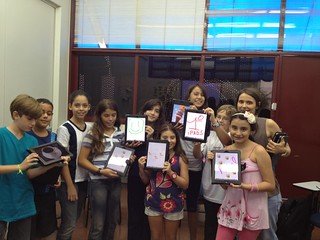
In fact, from what I´ve observed, it is quite the opposite. With a good lesson plan and classroom management, iPad classes with kids are a tremendous success with engaged and excited kids.
When teachers dare and take the iPads to class, they always mention how fun their classes were and how enthusiastic kids became with the mobile devices. Some of the little ones innocently even ask if they can take the iPads home!
Did you know that we have a Kids folder in all iPads? We have apps to practice colors, the alphabet, shapes, stories, animals, numbers, transportation, food, besides the other ones for students to draw and write.
![]() |
| Teacher Fernanda Mello with a group of enthusiastic students using ipads for the first time |
Did you know that we have a Kids folder in all iPads? We have apps to practice colors, the alphabet, shapes, stories, animals, numbers, transportation, food, besides the other ones for students to draw and write.
| CTJ iPad Kids Folder |
Some classroom management tricks to work with ipads in a kids´ classroom:
- think of your pedagogical goal for the activity and check the choices of apps you are going to use
- test the app before your class
In class:
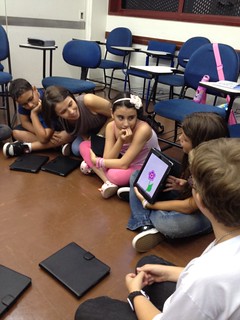
- Ask students to sit on the floor
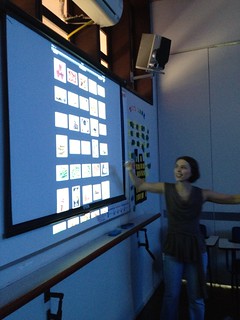
- Give instructions and project on the board the steps to access the app
- set the rules for good ipad use
- hand in the ipads
- carry out the activity
- consider the kind of follow up activity you will do with the students. It could be just asking questions and practicing with them, or if it is a drawing/project, there could be a show and tell moment. In this case, make sure everybody puts the ipads on the floor and close them as they listen to their peers.
By taking these steps, your class will be a smashing hit!
So, I´d like to invite all of you to consider including an ipad activity the next time you prepare a class for your Kids, Kids Fun, Top Kids and Junior classes. Remember that the Ed Tech Monitors at your branch are ready to give you a hand to plan for an effective approach to using iPads in the classroom.
Labels:
app,
apptivity,
classroom practices,
ipads,
kids,
lesson plan,
mlearning
Subscribe to:
Comments (Atom)